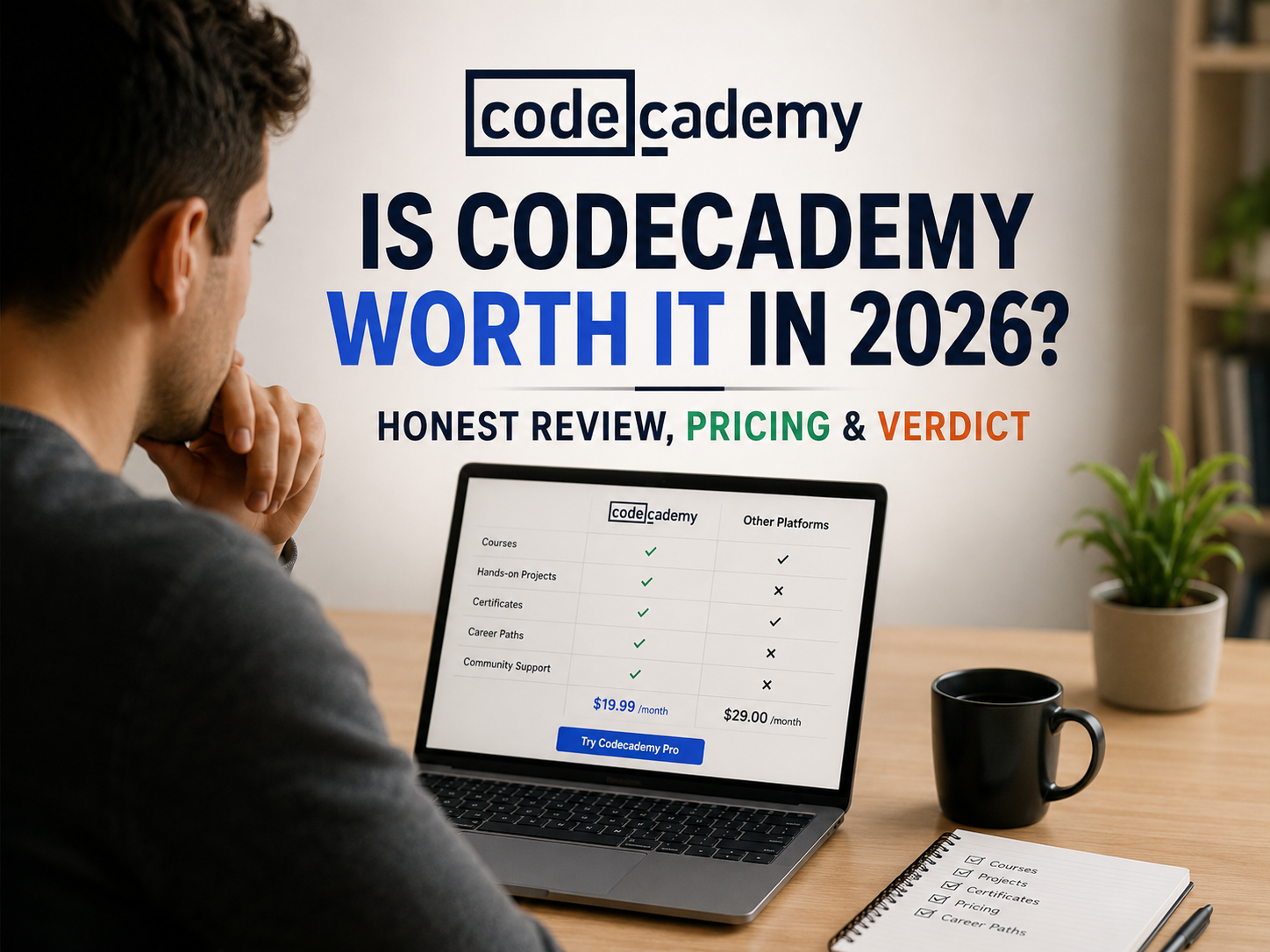
Codecademy markets itself as “free to try,” but the plan that actually helps you learn, and the one built to support a career change, costs money. This review covers Codecademy’s current pricing, what the free plan really includes, the difference between its two kinds of certificates, whether it can help you get a job, and who should skip it. Pricing and feature details were checked against Codecademy’s own pricing and plans pages in 2026.
Codecademy is worth it if you want to write code in your browser while you learn, rather than watch videos. The free Basic tier is too limited to learn a language from start to finish, so if you are serious about coding, budget for Plus or Pro, and choose annual billing if you can.
- What is Codecademy?
- How this review was made
- How much does Codecademy cost?
- Is Codecademy actually free?
- Plus vs Pro: which plan?
- Does Codecademy give certificates?
- Can Codecademy get you a job?
- Teaching style and course quality
- Pros and cons
- Codecademy vs other platforms
- Is Codecademy worth it? Final verdict
- FAQ
What Is Codecademy?
Codecademy is an interactive, browser-based coding education platform. Instead of watching a lecture, you write and run real code inside the lesson, with instant feedback when something is wrong. It lists 300+ stand-alone courses and 12 career paths across subjects including Python, JavaScript, SQL, HTML/CSS, data science and cybersecurity. Codecademy has operated since 2011, was acquired by Skillsoft in 2022, and says it has helped more than 50 million learners worldwide.
How This Review Was Made
This review is built from Codecademy’s published pricing page, its paid plans and career paths page, and the screenshots we captured of the site. Where something is Codecademy’s own claim, such as the learner success rate or the number of courses, the text says so, and we do not present it as independently confirmed. Prices, trial offers and plan features change, so treat the figures here as a snapshot and confirm them on Codecademy before you pay.
How Much Does Codecademy Cost?
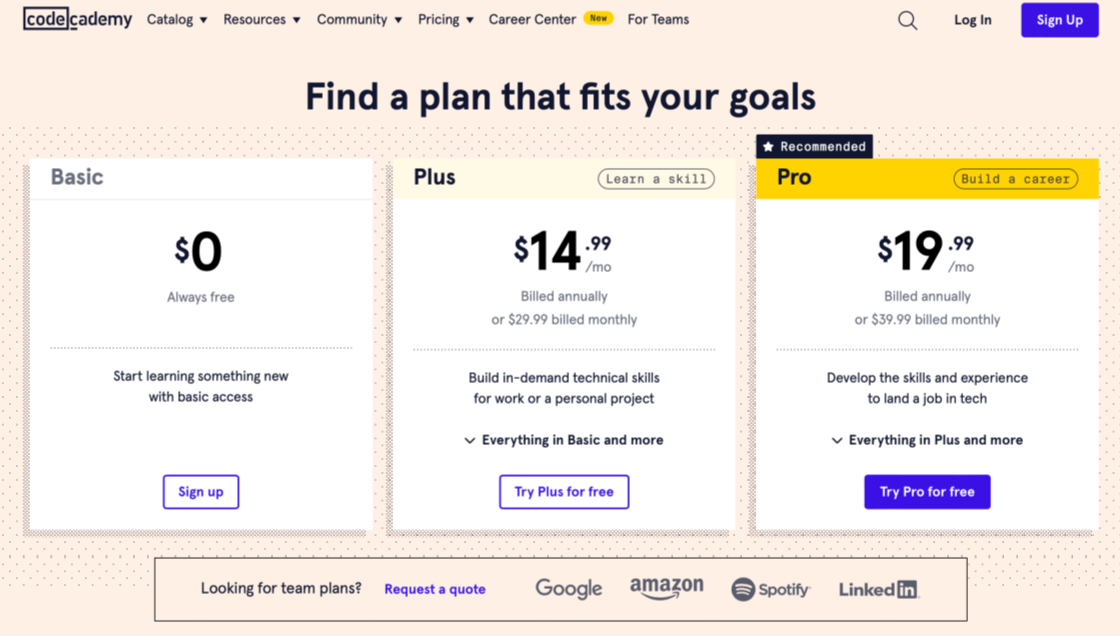
Codecademy runs three tiers. Pricing is lower if you commit to annual billing instead of paying month to month:
| Plan | Price | What you get |
|---|---|---|
| Basic | $0, always free | Limited access to free courses only; no projects, unlimited quizzes or certificates |
| Plus | $14.99/mo billed annually, or $29.99/mo billed monthly | Access to all 300+ courses, skill paths, quizzes, projects, AI learning help and certificates of completion |
| Pro | $19.99/mo billed annually, or $39.99/mo billed monthly | Everything in Plus, plus career paths, professional certifications, technical interview prep, code challenges and an AI job-readiness checker |
Here is what those monthly prices add up to over a year, which is how most people actually pay:
| Plan | Annual billing, per year | Monthly billing, 12 months | Difference |
|---|---|---|---|
| Plus | $179.88 | $359.88 | $180.00 more if paid monthly |
| Pro | $239.88 | $479.88 | $240.00 more if paid monthly |
Is Codecademy Actually Free?
Partly. The Basic plan is free forever, but it only includes limited access to free courses, with no real-world projects, no unlimited quizzes, no certificates, and no skill or career paths. In practice, Basic is enough to sample how the platform teaches, not to learn a language from start to finish.
Codecademy has also offered free trials on its paid plans so you can test the full experience before you are charged. Trial length and eligibility can change, so check the current terms on its pricing page and note the date your trial ends before you start.
Plus vs Pro: Which Plan Do You Need?
The two paid plans share the same core library, so the choice depends on your goal rather than on course access:
- Choose Plus if you want to learn a skill for a project, a hobby or your current job. It covers unlimited courses, skill paths, projects and completion certificates at the lower price.
- Choose Pro if you are changing careers or actively applying for jobs. It adds the career paths, professional certification, technical interview prep, code challenges and the job-readiness checker, which are the features aimed at hiring outcomes.
- Stay on Basic only to test whether the in-browser teaching style suits you.
If you pick Pro and never open the career tools, you are paying about $60 more per year than Plus on annual billing for features you do not use.
Does Codecademy Give Certificates?
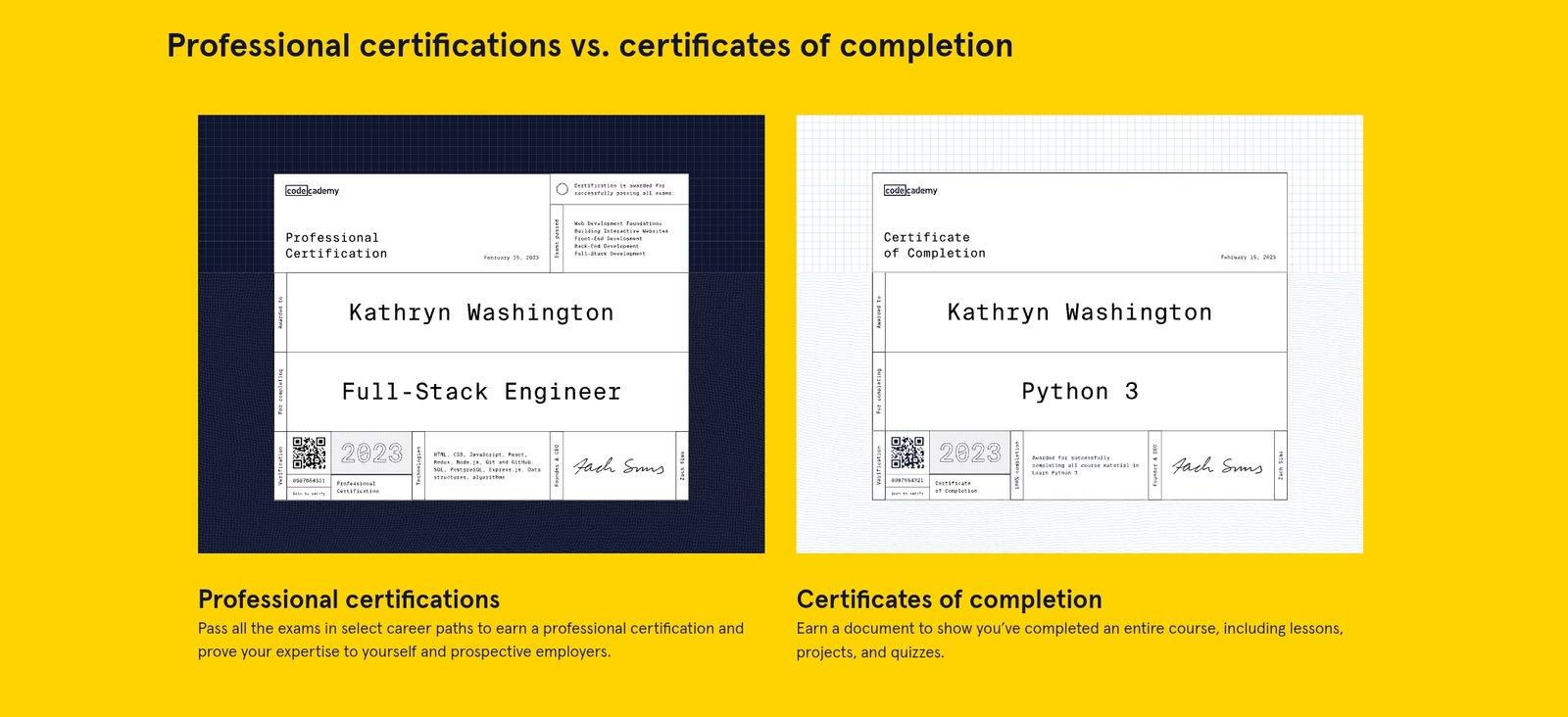
Yes, but there are two different credentials, and many reviews blur them together:
- Certificate of completion: included with Plus and Pro. You get one for a course or path you finish. It shows you completed the material and is not an accredited academic credential.
- Professional certification: Pro only. You earn it by passing the exams in select career paths, and it is designed to show job-readiness to employers, a higher bar than a completion certificate.
Neither credential is issued by an accredited academic institution. The professional certification carries more practical weight because it requires passing graded exams, not just finishing lessons.
Can Codecademy Get You a Job?
Codecademy states that roughly 4 out of 5 learners achieve the specific goal they set out to reach. That is a company-reported figure, not an independent study, so treat it as directional. The Pro plan is built around job outcomes: career paths, professional certification, technical interview prep, code challenges and an AI-powered job-readiness checker.
No course platform can guarantee a job. Codecademy gives you structured practice and credentials that can make you a stronger candidate, but landing a role still depends on your portfolio, your networking and your interviews. If a job change is your goal, Pro is the tier designed for it. Basic and Plus are not.
Teaching Style and Course Quality
Codecademy’s biggest strength is that you write real, runnable code in every lesson instead of passively watching someone else code. Lessons break concepts into small, testable steps with immediate feedback, and there is no software to install, which lowers the barrier for complete beginners. This suits people who learn by doing.
The tradeoff is breadth. Codecademy is built for coding and closely related technical skills, so its catalog is far narrower than a general marketplace. It also teaches in short guided steps, so you will still need to build your own projects outside the lessons to prove you can work without hints.
Pros and Cons
- Hands-on, in-browser coding with instant feedback and no setup
- Career paths built around job outcomes (Pro)
- Completion certificates plus a more rigorous professional certification option
- Annual billing roughly halves the effective monthly cost
- Owned by Skillsoft, an established corporate learning company
- Free Basic tier is too limited to learn a language from
- Narrow catalog, mostly coding and data topics
- Neither certificate is academically accredited
- Career features sit behind the most expensive tier
- Monthly billing costs twice as much as annual over a year
Codecademy vs Other Platforms
| Platform | How you pay | Best for |
|---|---|---|
| Codecademy | Subscription (free tier, Plus, Pro) | Hands-on, in-browser coding practice |
| Udemy | Pay per course | Very wide topic range, video-led learning |
| Skillshare | Subscription | Creative and community-driven classes |
See our Is Udemy worth it review and Is Skillshare worth it review for how each compares in price and teaching style.
More course platform reviews
- Is DataCamp worth it?, for data-focused learning
- Is Coursera worth it?, for university-linked courses
- Is Udacity worth it?, for career-focused tech programs
- Is LinkedIn Learning worth it?, for workplace skills
Is Codecademy Worth It? Final Verdict
Worth it if you want to learn to code by writing code, you will use Plus or Pro rather than staying on the limited free tier, and, if you are changing careers, you are willing to pay for Pro to unlock the job-focused features.
Not worth it if you expect the free Basic plan to teach you a language from start to finish, you want a broad non-technical course catalog, or you need an academically accredited credential rather than a completion or professional certificate.
Frequently Asked Questions
Should I choose Codecademy Plus or Pro?
Choose Plus to learn a skill at the lower price. Choose Pro only if you are job hunting or changing careers, since it adds career paths, professional certification, interview prep and code challenges that Plus does not include.
Is monthly or annual billing better on Codecademy?
Annual billing is far cheaper. Plus costs $179.88 a year billed annually versus $359.88 if you pay $29.99 monthly for 12 months, and Pro costs $239.88 versus $479.88. Pay monthly only if you plan to study for a short time.
Does Codecademy have a free trial?
Codecademy has offered free trials on its paid plans, but trial length and eligibility change. Check its pricing page for current terms and note when the trial ends so you are not charged unexpectedly.
Is Codecademy good for complete beginners?
Yes, because lessons run in your browser with no software to install and give instant feedback in small steps. Beginners should still build their own small projects outside the lessons to confirm they can code without hints.
Are Codecademy certificates recognized by employers?
Neither certificate is issued by an accredited academic institution. The professional certification, available on Pro, is stronger evidence because it requires passing graded exams, but your portfolio and interview performance will matter more to most employers.