Online Course Platform Reviews · 2026
Pricing, plan rules and review data last checked October 3, 2026. This review is based on Brilliant’s own help center and Terms of Use plus public Trustpilot data, not on a hands-on course audit.
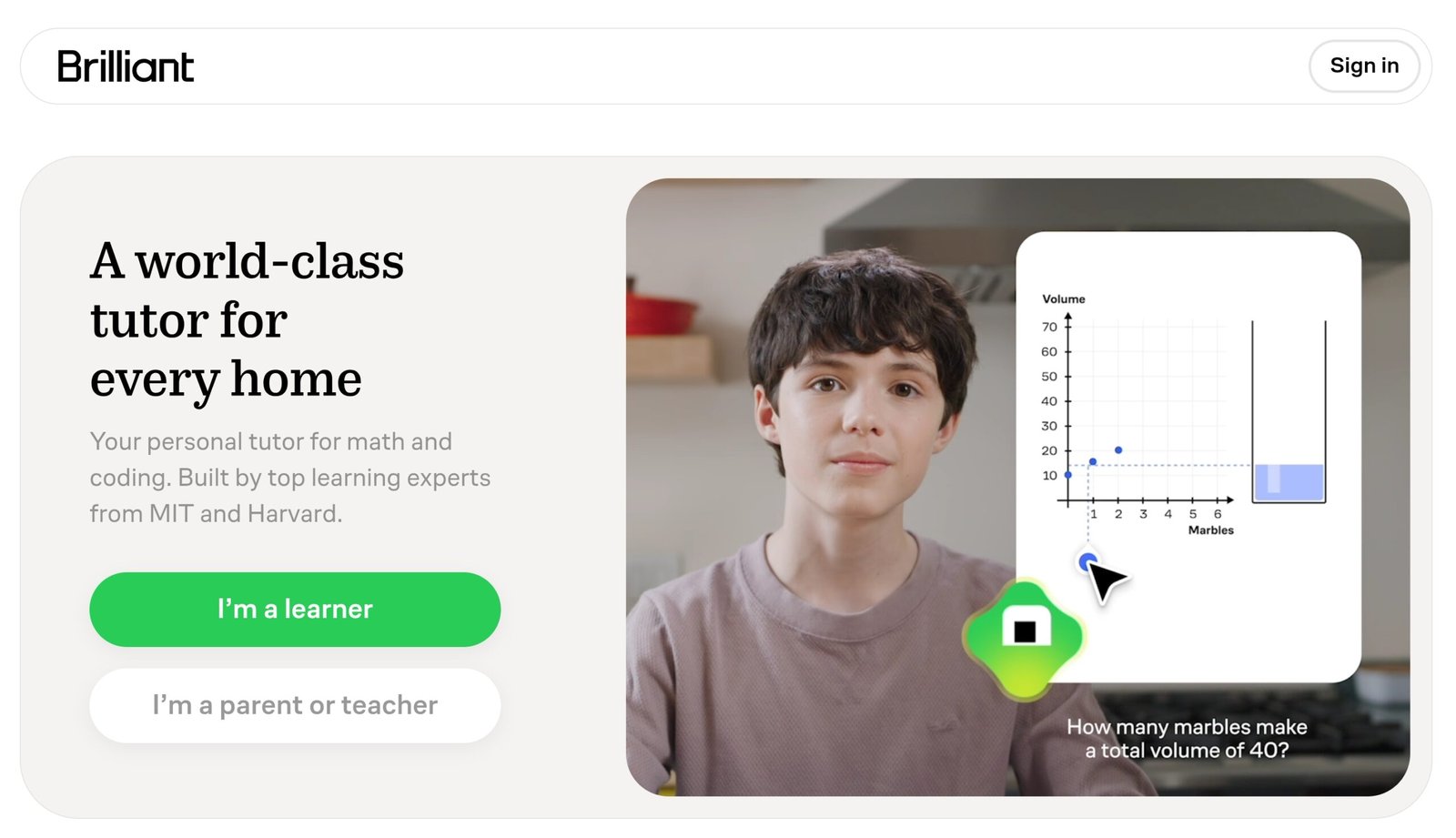
Brilliant teaches math, science, computer science and data analysis through interactive problems instead of video lectures. Free accounts get two lessons a day, and Premium removes the limits and unlocks its AI tutor, Koji. Here is what Premium costs, what the free plan really includes, what Brilliant’s terms say about renewals and refunds, and who should (and shouldn’t) pay for it.
Worth it if you learn by solving problems rather than watching lectures and you want math, science, computer science or data skills.
Skip it if you need a certificate, a career credential or non-STEM subjects. If you subscribe, read the renewal rules below first: Brilliant’s terms treat payments as non-refundable.
- What Is Brilliant.org?
- Is Brilliant Shutting Down?
- How Much Does Brilliant Cost?
- Free vs Premium
- What Is Koji, the AI Tutor?
- Renewals, Refunds and What Trustpilot Shows
- Checklist: Avoid an Unwanted Charge
- Teaching Style and Course Quality
- Who Brilliant Fits
- Pros and Cons
- Brilliant vs Other Platforms
- Final Verdict
- FAQ
What Is Brilliant.org?
Brilliant is an interactive learning platform founded in 2012. Its courses cover math, computer science, science and data analysis, and Brilliant lists more than 40 interactive courses on its subscription page. Instead of watching someone explain a concept, you work through puzzles and exercises on the page and get immediate feedback. Premium adds Koji, an AI tutor that guides your thinking when you get stuck.
Comparing technical learning platforms?
See our Is DataCamp Worth It review (data science and AI skills) and our Is Codecademy Worth It review (hands-on coding practice).
Is Brilliant Shutting Down?
No. Searches for this usually come from a mix-up with a different company. Brilliant, the smart-home maker known for in-wall control panels and light switches, ran out of money in May 2024, laid off most of its staff and went looking for a buyer, as The Verge reported. It was later bought by an investment group and now operates as Brilliant NextGen. That company has no connection to Brilliant.org, the learning platform reviewed here, which is still operating: its help center and pricing articles were updated in September 2026.
How Much Does Brilliant Cost?
Brilliant tells shoppers to check its subscription page for current pricing, because the price depends on plan type, location and promotions. The standard US prices widely reported in 2026 are:
| Plan | Reported price | Notes |
|---|---|---|
| Monthly | $27.99/month | No long-term commitment; renews monthly until you cancel |
| Annual | $161.88/year (about $13.49/month) | One payment per year; Brilliant calls it its best-value and most popular plan |
| Family / group | See Brilliant’s pricing page | Family plan covers up to 6 members, each with their own Premium account |
The math: twelve months on the monthly plan would cost about $335.88, so the annual plan is roughly half the price. It pays for itself after a little under six months of use. The flip side is that the annual plan is one large non-refundable payment (see the billing section below).
Brilliant says it rarely discounts Premium; the main exception is its annual Black Friday and Cyber Monday sale, plus occasional partnerships. Brilliant also says it sometimes offers free trials, but availability varies by platform, account and timing, so don’t assume one will be offered. K–12 teachers and their students may qualify for free Premium through Brilliant for Educators.
Free vs Premium
The free plan is real but tightly limited. According to Brilliant’s help center:
| Free | Premium | |
|---|---|---|
| Daily limit | 2 keys per day, each unlocking one lesson or practice set | No limits |
| Course order | Sequential; you can’t skip ahead | Jump to any lesson in any course |
| Koji AI tutor | Limited preview | Full, unlimited access |
| Ads | Occasional ads between lessons | Ad-free on web and mobile |
That is enough to find out whether the teaching style suits you, but at two lessons a day a full course takes a long time. Free and Premium users alike can solve hands-on problems, track streaks and XP, and compete in Leagues.
What Is Koji, the AI Tutor?
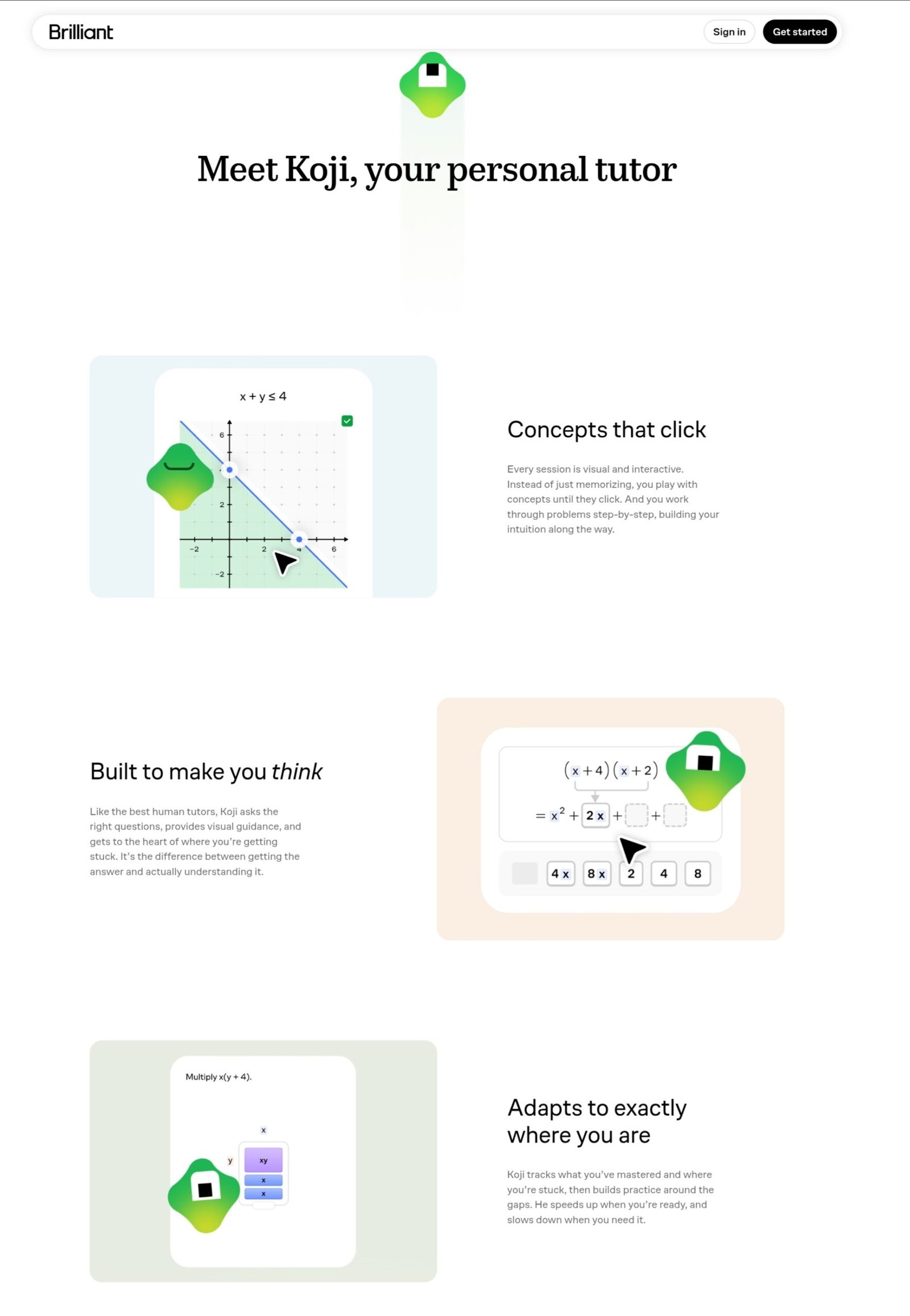
Koji is Brilliant’s built-in tutor. It can see what you are working on, including the interactive elements on screen, and walks you through the thinking step by step instead of handing you the answer. Brilliant says Koji is built partly on a third-party AI model, with its behavior customized by Brilliant’s team, and that it is available on most courses, including nearly all of the math and coding courses. Free users get a limited preview; Premium users get full access. You can mute Koji in your settings if you prefer to work without it.
Renewals, Refunds and What Trustpilot Shows
Brilliant’s Terms of Use (effective February 9, 2026) set the rules that matter most before you pay:
- Subscriptions renew automatically for an equivalent period at the price you agreed to, until you cancel.
- To avoid being charged for the next term, the cancellation must be submitted at least one business day before the current term ends.
- All payments are non-refundable, and partially used subscription periods get no refund or credit. Any refund Brilliant does give is voluntary and at its sole discretion.
- Promotions such as free trials convert to a paid subscription unless you cancel before the promotion period ends. Brilliant’s help center suggests cancelling at least 24 hours before a trial ends.
On Trustpilot, Brilliant holds a rating of about 4.1 to 4.2 out of 5 from roughly 2,900 reviews as of September 2026, with about 82% of reviews at five stars and about 11% at one star. Positive reviews commonly praise the interactive lessons and responsive support. Critical reviews of Brilliant commonly point to auto-renewal charges and declined refund requests rather than to the courses themselves, which fits what the terms say: refunds are a courtesy, not a right.
Checklist: Avoid an Unwanted Charge
- Check which plan you are on. A monthly plan renews every month and an annual plan renews once a year, so know the date of your next charge.
- Cancel at least one full business day early. Brilliant’s terms require this to avoid the next charge, so a same-day cancellation may be too late.
- Cancel where you subscribed. On the web, use Subscription Settings in your account. If you subscribed through the Apple App Store or Google Play, cancel there instead.
- If you start a free trial, cancel at least 24 hours before it ends unless you want to be charged.
- If you are charged unexpectedly, contact support@brilliant.org promptly. Refunds are discretionary, so ask quickly and politely rather than waiting.
- Unsure about commitment? Starting monthly costs more per month but limits how much you can lose if you stop using it.
Teaching Style and Course Quality
Almost every screen asks you to do something: drag, adjust, predict or solve. That suits people who understand an idea better by working with it than by hearing it explained. Brilliant is STEM-only by design, so it won’t help with business, writing or marketing skills. It also doesn’t build a portfolio or give you a record you can show employers, so pairing what you learn with a small project of your own makes the knowledge stick and gives you something to point to.
One practical tip for Premium subscribers: use the jump-to-any-lesson feature to go straight to the topics you are weakest in instead of working through every course in order.
Who Brilliant Fits
This table is our assessment based on what Brilliant offers:
| Learner type | Fit | Why |
|---|---|---|
| Curious learner who wants sharper STEM thinking | Strong | Interactive problem-solving is exactly what the platform is built for |
| K–12 student or teacher | Strong | Free Premium may be available through Brilliant for Educators |
| Self-taught programmer wanting CS fundamentals | Mixed | Good for building intuition; a dedicated coding platform is better for writing and shipping real code |
| Career switcher who needs a credential | Weak | Brilliant doesn’t offer certificates, credits or accreditation |
| Anyone who wants non-STEM subjects | Weak | The catalog is math, science, computer science and data |
Pros and Cons
- Interactive, hands-on problem-solving instead of passive video
- Koji guides your thinking without just giving the answer
- Premium removes daily limits and lets you jump to any lesson
- Annual plan is roughly half the monthly price
- Free Premium may be available to K–12 teachers and students
- Free plan is limited to two lessons a day
- STEM only, with no business, writing or creative subjects
- No certificates, credits or accreditation
- Payments are non-refundable under Brilliant’s terms
- Monthly plan is expensive compared with the annual plan
Brilliant vs Other Platforms
- Brilliant vs DataCamp: DataCamp is built around data science and AI skills; Brilliant covers broader math, science and computer science foundations through interactive problems. See our Is DataCamp Worth It review.
- Brilliant vs Codecademy: Codecademy is coding-specific; Brilliant spans math, science and CS fundamentals. See our Is Codecademy Worth It review.
- If you need a certificate: Brilliant itself points learners who need formal credentials toward colleges, professional certification programs, and MOOCs that offer verified certificates, such as Coursera and edX.
Final Verdict
Worth it if you want to build STEM intuition by solving problems, you’ll use Koji and the jump-ahead feature, and you are comfortable setting a reminder for your renewal date.
Not worth it if you need a certificate or credential, your goals are outside math, science, computer science and data, or you’d rather learn from video lectures.
Frequently Asked Questions
Is Brilliant worth it?
Yes, for learners who want interactive, hands-on practice in math, science, computer science or data analysis and prefer solving problems to watching lectures. It is not a fit if you need certificates or non-STEM subjects.
Is Brilliant.org shutting down?
No. The confusion comes from an unrelated smart-home company also called Brilliant, which ran out of money in 2024 and was later sold to an investment group. Brilliant.org, the learning platform, is still operating.
How much does Brilliant cost?
The standard US prices widely reported in 2026 are $27.99 per month or $161.88 per year, which works out to about $13.49 per month. Brilliant says prices vary by plan, location and promotion, so confirm the current price on its subscription page.
Is Brilliant free?
Partly. Free accounts get two keys per day, each unlocking one lesson or practice set, must follow courses in order, see occasional ads and get a limited preview of the Koji tutor. Premium removes those limits.
Does Brilliant offer a free trial?
Sometimes. Brilliant says it offers free trial promotions to eligible users, but availability varies by platform, account and timing. If you start one, cancel at least 24 hours before it ends to avoid being charged.
Does Brilliant renew automatically, and can I get a refund?
Yes, subscriptions renew automatically unless you cancel, and cancellations must be submitted at least one business day before the current term ends. Brilliant’s Terms of Use say payments are non-refundable and any refund is voluntary and at its discretion.
Does Brilliant give certificates?
No. Brilliant says it does not offer completion certificates, course credits or formal accreditation. It tracks your progress, streaks and XP on your profile instead.
What is Koji on Brilliant?
Koji is Brilliant’s built-in AI tutor. It sees what you are working on and guides your thinking step by step without simply giving the answer. Free users get a limited preview and Premium users get full access.
Is Brilliant good for beginners?
Brilliant describes its lessons as spanning 5th grade through college, so there are starting points for beginners, though some courses assume basic prior knowledge of the topic.